How to Improve Auto-Caption Accuracy (Fewer Errors)
How to improve auto-caption accuracy: clean the input audio, record so transcribers can follow, feed a custom word list for names.
By the Recapo.ai Editorial Team · Fact-checked July 10, 2026
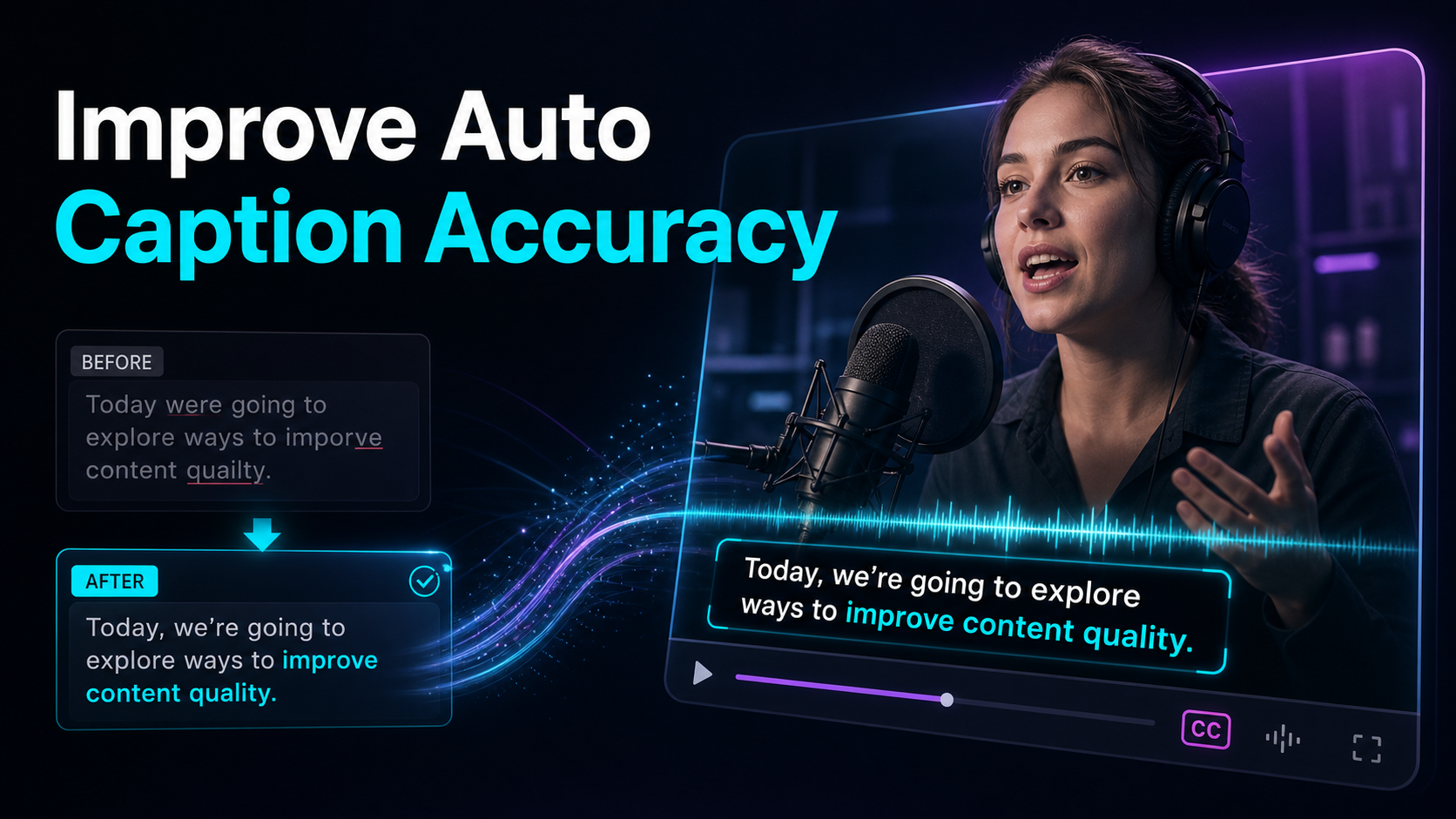
Auto captions get names wrong, punctuate at random, and mishear whole phrases — and the biggest wins on how to improve auto-caption accuracy come less from switching tools than from fixing what you feed the tool. Speech-to-text is only as good as the audio it hears and the words it expects, so this guide stays tight on the levers a creator actually controls: cleaner input audio, recording habits a transcriber can follow, a custom word list for names and jargon, and a fast transcribe-edit-export loop that catches whatever slips through. Do those four and inaccurate captions become a quick proofread, not a recurring headache.
Why auto captions get inaccurate — and how to improve auto-caption accuracy
Before you can fix auto captions, it helps to know why they miss. Every auto-caption feature runs on speech recognition: the model listens to your audio, guesses the most likely words, and stamps timings on them. It fails in predictable ways — and most of those failures trace back to the input, not the algorithm.
| Background music or noise under speech | Yes | Clean the audio before transcribing | Two people talking over each other | Yes | Isolate one speaker per segment | Room echo / reverb | Mostly | Record closer, treat the room | Names, brands, jargon, acronyms | Yes | Feed a custom word list, proofread | Fast, mumbled, or clipped delivery | Yes | Slow down, enunciate, mic close | Strong accent or non-native speech | Partly | Pick a transcriber that handles it | Low-bitrate or phone-speaker audio | Yes | Record to a clean source file |
Read that column of "yes" answers and the strategy writes itself. You can't always change an accent on someone else's recording, but you can almost always hand the transcriber cleaner audio and a list of the words it's likely to fumble. That's the leverage — and why chasing a "smarter" tool before fixing the input usually disappoints.
Fix the input first: clean audio for captions
Cleaning the source audio is a useful variable to test because a transcriber can only caption the signal it receives clearly. Two problems dominate.
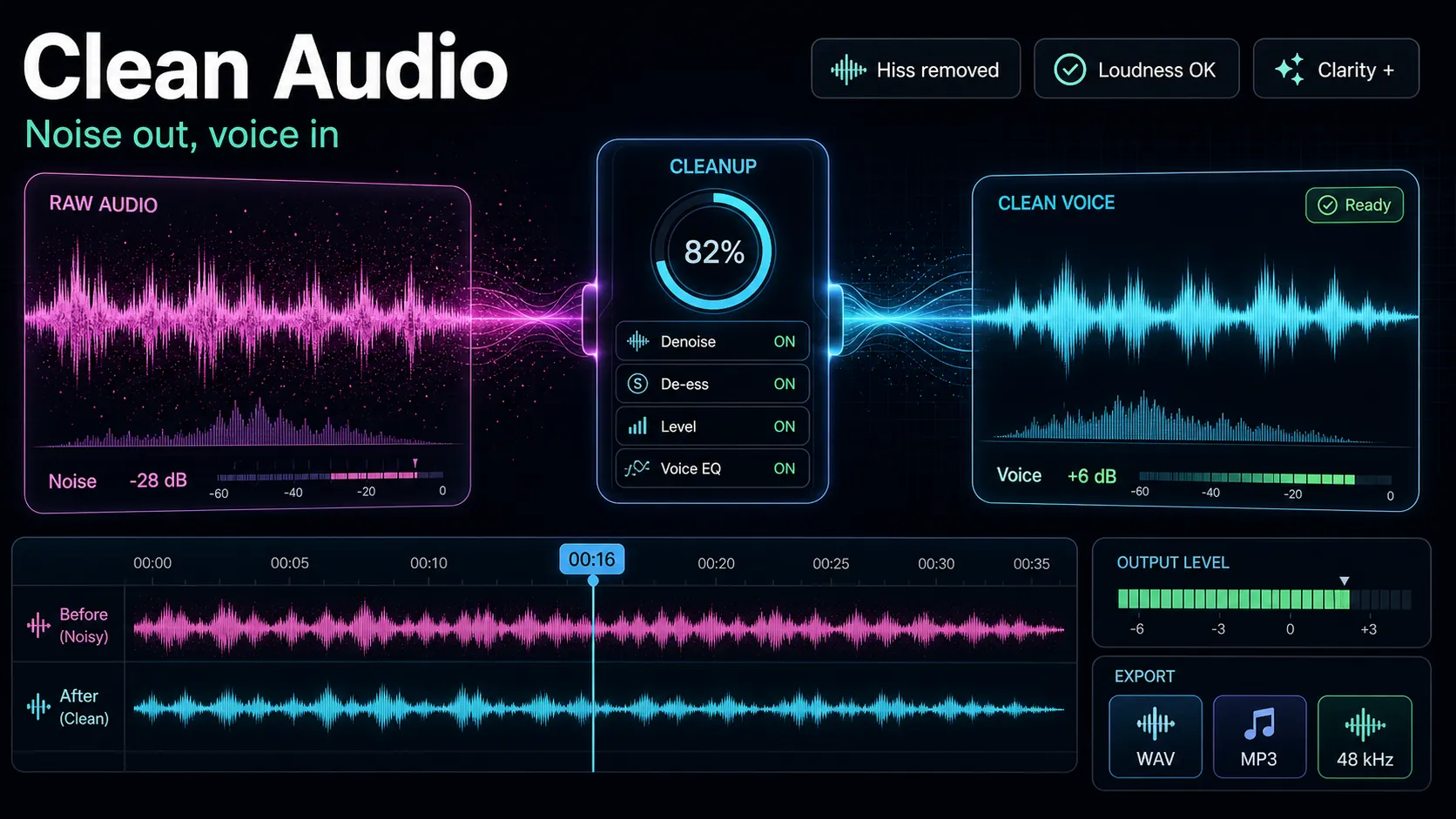
Steady background noise — HVAC hum, traffic, laptop fans, tape hiss — sits under your voice and blurs the edges of words, so the model guesses. Running the track through audio-noise-reduction before you transcribe pulls that floor down and hands the model a cleaner signal. Do this on the source audio, not after captioning — the goal is to improve what the transcriber hears, not to patch the output.
A music bed under the voice is the sneakier one. Music shares frequency space with speech, so a transcriber trying to caption a talking-head over a backing track will drop and mishear words it would have nailed on a dry vocal. If your recording has speech and music mixed into one track, isolate the voice with stem-splitter, transcribe from the clean vocal, then bring the music back for the final mix. You caption the voice, not the song fighting it.
Test cleanup before transcription when noise or music masks the voice. Use audio noise reduction on a representative sample, then compare transcription errors with the untreated version; aggressive processing can also damage intelligibility.
Record so the transcriber can follow
Half of accuracy is decided before you ever hit "generate", at the moment of recording. A transcriber isn't a mind reader — it follows the clearest signal it's given, and these habits cost nothing.
Build a custom word list for names and jargon
Here's the fix most creators skip, and it's the one that kills the errors that embarrass you most. Speech recognition is biased toward common words. Feed it "Recapo," a client's surname, a product SKU, or a niche acronym, and it will reach for the nearest everyday word instead — which is why proper nouns and jargon are where inaccurate captions cluster.
The fix has two forms:
- A custom dictionary, if your tool supports one. Some transcribers let you register terms — names, brands, technical vocabulary — before you run the job, so the model expects them. When that option exists, it's the cleanest way to get names right the first time. Load the words your channel says constantly: your own brand, recurring guests, the jargon of your niche.
- A reusable correction list, if it doesn't. No custom-dictionary field? Keep a short text file of the terms your transcriber always mangles and how they should read. Fix them once per video during proofread, and because you're pasting from a known list, the pass takes seconds instead of a hunt.
Either way, the principle holds: the transcriber can nail ordinary speech on its own; your job is to hand it the handful of uncommon words it can't guess. That single habit turns most "why does it keep misspelling my name" complaints into a solved problem.
Pick a transcriber that fits your audio
Not every speech-to-text engine handles every kind of audio equally — accents, overlapping speech, technical vocabulary, and non-English languages all separate the tools. But don't trust a marketing "accuracy" percentage; it was measured on clean studio audio that looks nothing like yours. Run your own test instead.
Take your worst 60 seconds — the accented guest, the noisy location, the jargon-heavy segment — and run it through any transcriber you're weighing. Then score the output on what actually matters:
A tool that passes on your real audio will serve you; one that only shines on a demo clip won't. A general-purpose ai-subtitle-generator that produces an editable, word-timed transcript gives you the most room to correct what's left. For a wider survey of options, see our roundup of the best auto-caption generators.
The proofread loop: where the last errors die
Even with clean audio and a good word list, no auto-caption pass is publish-ready untouched — and short-form captions get burned into the video, so a typo becomes permanent. A tight proofread loop is what stands between "mostly right" and "actually right."
- Generate the transcript. Run your cleaned audio through auto-captions to get timed captions with a per-word timeline — the editable draft you'll correct, not the final word.
- Scan the high-risk tokens first. You don't reread every word; you hunt the four things transcribers miss most: names, homophones ("their/there," "to/two"), numbers (prices, dates, stats), and jargon. Fix those and you've caught the errors that actually cost you credibility.
- Edit beside the video. Correct in a transcript view that plays the clip next to the text, so you fix mishears in context and confirm the timing didn't drift. This is far faster than editing a raw subtitle file blind.
- Read it once, muted. Play the video on mute and read only the captions, the way a viewer without sound would — some viewers encounter short-form video with the sound off, per the platforms' own accessibility guidance. Anything that reads wrong silently gets fixed now.
- Burn in and export. Only after the transcript is clean do you render the captions into the frames. Because burn-in is permanent, the proofread is never the step you skip.
That loop is short by design: the cleaner your input and word list, the less there is to correct here.
Caption accuracy tips at a glance
Keep this checklist next to your workflow — it's the shortest route to better auto subtitles. Most accuracy problems die if you run down it before you hit generate.
Where Recapo fits
Recapo is a browser-based AI video workspace — nothing to install — and the whole accuracy loop in this guide runs inside it end to end. You can reduce background noise, split a music bed off the vocal, transcribe and caption to a word-level, editable transcript, proofread names and numbers beside the video, then resize to 9:16 and export with the captions burned in — all in one tab, without shuttling a file between a denoiser, a transcriber, and an editor. It accepts MP4, MOV, and other common formats, up to 6GB total per task.
The practical fit: Recapo cleans the input and gives you an editable transcript, but it can't invent a name it never heard or decide which homophone you meant. Those judgment calls — the custom word list, the muted read-through, the final proofread — stay yours, and they're what turn a good auto-caption pass into a clean one. If captioning is a recurring part of your routine, having clean-audio, transcribe, and proofread in a single tab is the job it's built for. Plans live on the pricing page.
FAQ
Why are my auto captions so inaccurate?
Almost always because of the audio, not the tool. Background noise, a music bed under the voice, overlapping speakers, and mumbled or distant delivery all force the speech model to guess, and it guesses wrong on the hard words. Names, brands, and jargon add a second layer, because recognition is biased toward common words. Clean the audio, record closer with one voice at a time, and feed the transcriber your uncommon terms — that fixes most inaccurate captions before you ever proofread.
Does cleaning up audio really improve caption accuracy?
Yes, and it's usually the biggest single win. A transcriber can only caption what it can clearly hear, so steady noise and a competing music track directly cause dropped and mistaken words. Denoising the source and isolating the voice from any music bed before you transcribe hands the model a cleaner signal and cuts errors at the root — far more effectively than correcting the output afterward.
How do I fix names and jargon in auto captions?
Two ways. If your transcriber supports a custom dictionary, register the names, brands, and technical terms before you run the job so the model expects them. If it doesn't, keep a short reusable list of the words it always mangles and paste the corrections during proofread. Either approach turns the errors that embarrass you most — your own brand or a guest's name spelled wrong — into a solved, repeatable fix.
Can I improve accuracy without re-recording?
Often, yes. You can denoise the existing track, split a music bed off the vocal, and run the cleaned audio through a transcriber that handles your kind of speech, then proofread the result — all without recording anything again. Re-recording only pays off when the source itself is the problem (heavy crosstalk, severe reverb, or a phone-speaker capture); for most footage, cleaning the input and proofreading closes the gap.
What accuracy should I expect from auto captions?
It varies too much to promise a number — clean, close-mic'd single-speaker audio transcribes far better than a noisy multi-speaker recording, and results differ by language and accent. Rather than trust a vendor's headline percentage, test any tool on your own worst 60 seconds. Whatever the tool, plan on a short proofread of names, homophones, and numbers before you burn captions in — that final pass is what makes them publish-ready.
Ready to stop fighting inaccurate captions? Create a free account, upload your footage — MP4 or MOV, up to 6GB total per task — and run the whole accuracy loop in one browser tab: denoise, split off any music bed, transcribe to a word-level editable transcript you proofread beside the video, then reframe to 9:16 and export with captions burned in. You bring the clean audio and the final read-through; Recapo handles the production, so your next upload ships with captions that say what you actually said.
References and official sources