Smart crop landscape video to 9:16, 1:1 or 4:3
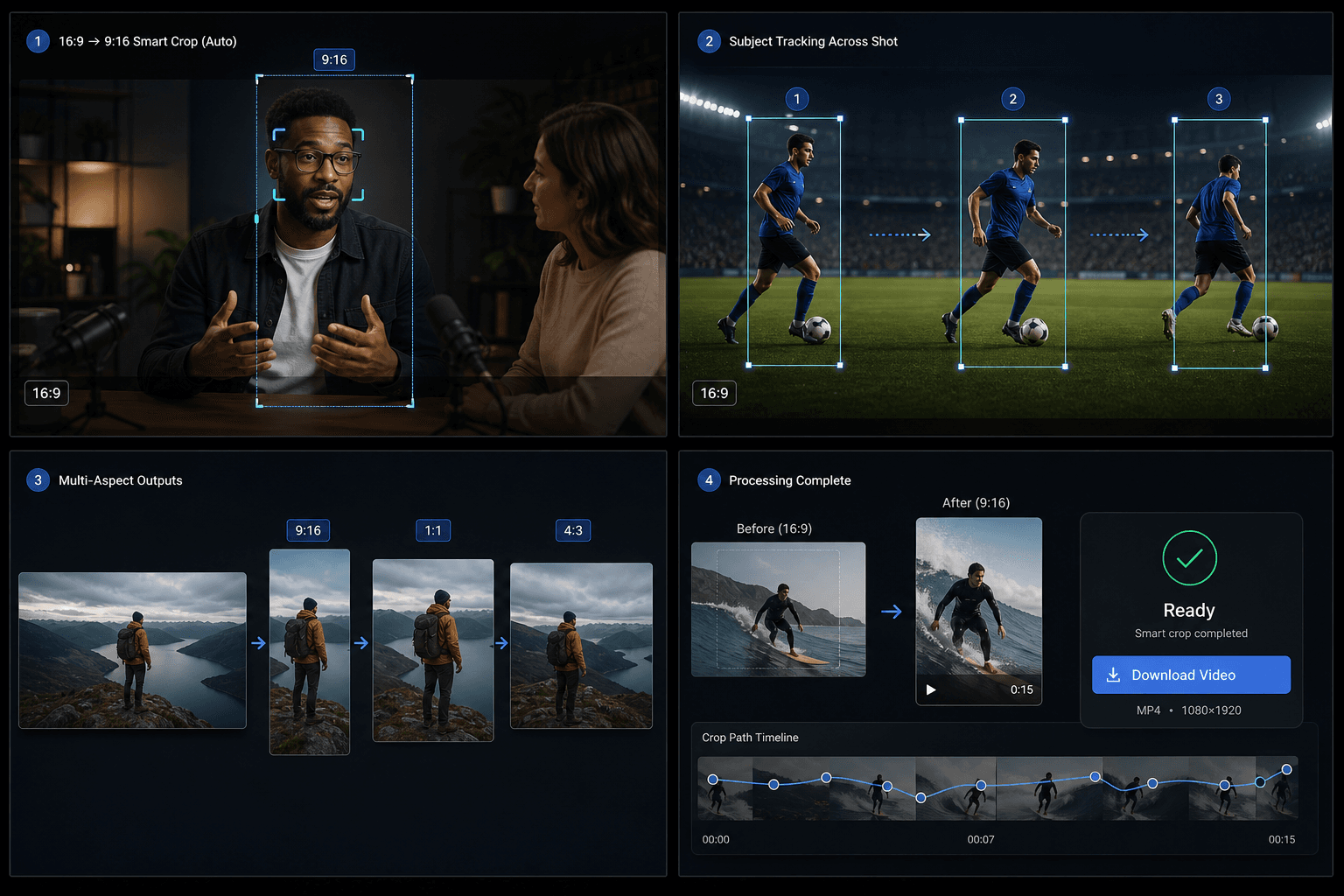
Upload a 16:9 video and let Qwen detect the key subject, split long shots when focus shifts, and export a smart-cropped MP4 in 9:16, 1:1 or 4:3.
Click to upload or drop a video file
Supports MP4, MOV, MKV, WebM, MPEG, MPG, 3GP, 3GPP
Up to 2 GB per file
Source video up to 20 minutes
Processing runs on this page — don't leave while it's running, or the task is cancelled.
AI focus detection
The tool uses Qwen vision to identify the main subject and compute a focal point for each segment instead of always center-cropping.
- 01
Upload a 16:9 video
Choose the landscape source file you want to reframe.
- 02
Pick the target aspect
Select 9:16 vertical, 1:1 square or 4:3 landscape output.
- 03
Download the smart crop
Run the task, wait for AI focus analysis, then preview and download the result.
Semantic sub-segments
When the subject or composition changes inside one physical shot, the pipeline splits the shot into sub-segments and applies a separate crop window to each one.
- Upload a 16:9 landscape video
- AI detects visual focus
- Download the smart-cropped video
Credits and limits
The task runs through the unified video-toolkit service and uses the same credit system as other Recapo tools. Current source limit is about 20 minutes.
Built for these real workflows
Video cover design
Social creative
Key visual extraction
Continue with the next step
Frequently asked questions
Does it work on portrait video?
Not yet. The current version expects a landscape 16:9 source.
How is this different from the TikTok resizer?
The resizer uses a fixed center crop. Smart crop tracks the subject with AI and can split one shot into multiple crop windows.
Which outputs are supported?
9:16, 1:1 and 4:3 in one task.
Start using Smart Aspect Ratio Crop
Provide the input and essential settings above. Your result stays in the current tool workflow.
Back to tool