Add Watermarks to Video Online
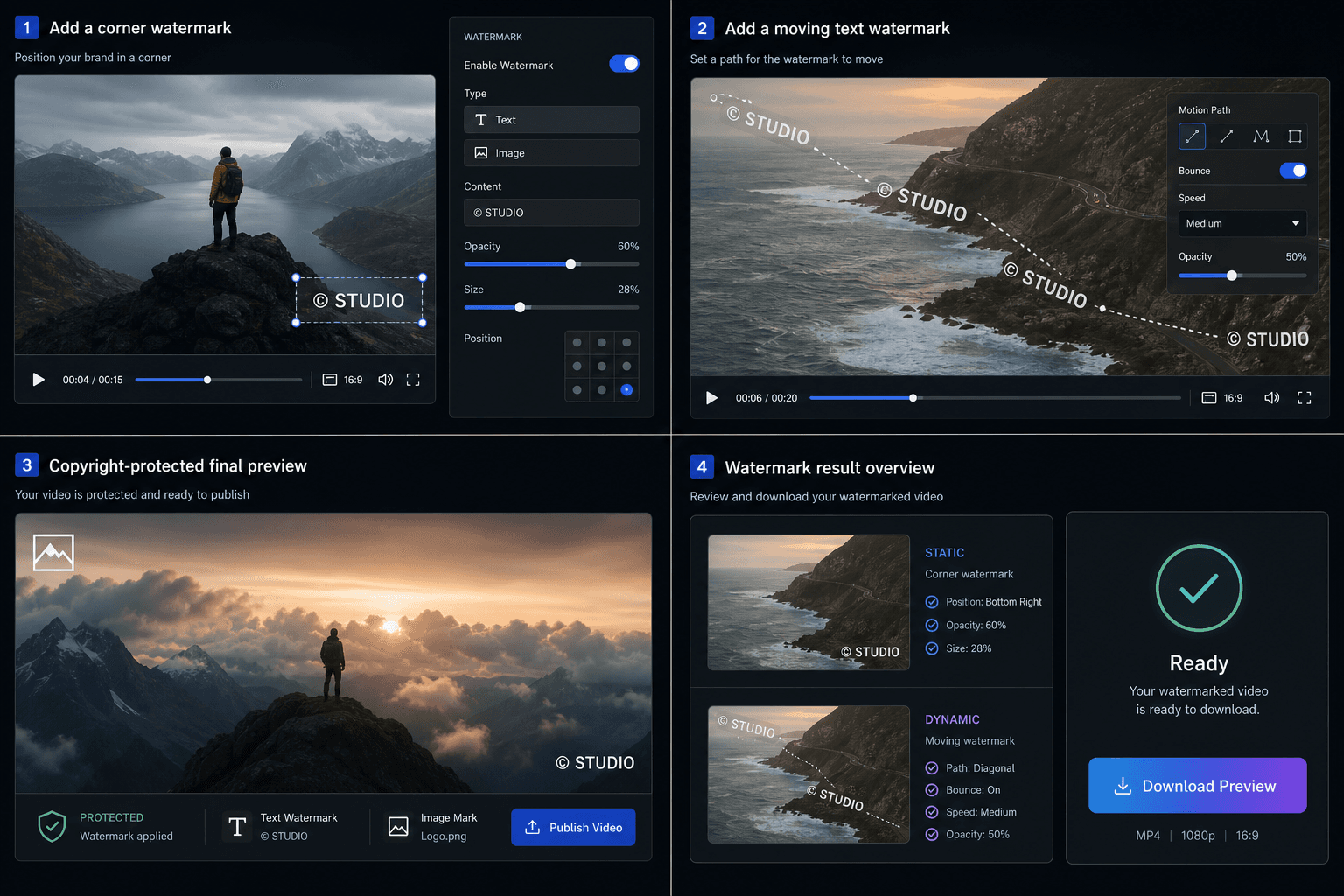
Add static corner watermarks or diagonal bouncing dynamic marks to MP4 and MOV videos. Text and images supported; logos auto-convert to white-on-transparent. Cloud burn-in on Recapo.ai.
When to use static vs dynamic watermarks
Static watermarks stay in a corner—ideal for logos, © notices, and channel names that should remain visible. Dynamic watermarks bounce diagonally across the frame (DVD-screensaver style), useful for internal footage and review copies that need full coverage and are harder to crop out.
- 01
Upload video
Upload a local MP4, MOV, or other common format, or import from a link.
- 02
Configure watermarks
Enable static (corner) and/or dynamic (diagonal bounce) watermarks; set text size and color, or upload an image converted to white-on-transparent.
- 03
Download result
Download the watermarked video when processing finishes—ready to publish or send to compress or caption tools.
Static
four corners, adjustable opacity and font size.
Dynamic
diagonal bounce at equal x/y speed, 1–40 speed range.
Configure text or image separately for static and dynamic layers.
Why images become white-on-transparent
Uploaded logos are preprocessed to white artwork on a transparent background before compositing. That keeps marks readable on both light and dark footage without a solid color block covering the picture.
Built for these real workflows
Brand logo corner marks against reposts
Floating text for internal footage
Copyright marks before publishing
Frequently asked questions
Can I use static and dynamic watermarks together?
Yes. Enable at least one layer to submit; both can be burned into the same output.
How does the dynamic watermark move?
It uses a diagonal bounce path with equal horizontal and vertical speed. Speed tops out at 40, which is the fastest setting.
Are watermarks permanently burned in?
Yes. They are encoded into the video frames and cannot be toggled off like soft subtitles.
Does video watermarking cost credits?
You can try within free quota; processing tasks consume credits per the pricing page.
How do I remove an existing watermark?
Use the separate Video Watermark Remover tool page—AI detection, no manual selection—instead of this add-watermark page.
Start using Video Watermark
Provide the input and essential settings above. Your result stays in the current tool workflow.
Back to tool